
For schools
Skill-driven learning for future-ready schools.
NEP 2020 aligned coding, AI and technology programmes for Classes 5 to 12, plus the software that helps your school run smoothly. Delivered by a team that builds real products every day.
- NEP 2020 aligned
- MSME registered
- 100+
- Students trained
- 5+
- Partner schools
- 100%
- NEP 2020 aligned
Our mission
Technology skills, taught the way they are used.
We help schools give every student practical experience with coding, data and AI, guided by people who build software for a living.
Goforge Digital is an MSME-registered software company in Faridabad. The same team that builds websites, CRMs and AI tools for businesses designs our school programmes, so what students learn reflects how technology is really built today.
Our vision
From passive learners to student innovators.
Learning by doing
Students build, test and improve real projects instead of memorising steps for an exam.
NEP 2020 aligned skills
Coding, computational thinking and AI introduced at the right age, as the policy recommends.
Critical thinking
Every project starts with a question, so students learn to break problems down and reason clearly.
Career readiness
Students meet the tools and roles of the modern workplace long before they choose a stream.
What we provide
Everything your school needs to begin.
NEP-aligned curriculum
A structured, grade-wise curriculum for Classes 5 to 12, with lesson plans and activity sheets.
Industry project orientation
Hands-on projects modelled on real products our team builds for clients.
Expert mentorship
Live sessions with working developers and data professionals who guide every project.
Online and hybrid delivery
Sessions in your computer lab, live online, or a mix that fits your timetable.
Progress and impact reports
Clear reports on attendance, skills and project work for every class each term.
Teacher support
Orientation and resources before each unit, so your faculty can lead with confidence.
Programme framework
Four levels, one clear path.
Each level builds on the last, so students grow from first lines of code to specialised skills.
-
1
Level 1 · Classes 5–8
Foundations
- Python basics
- Web basics
- Robotics
- IoT
-
2
Level 2 · Classes 8–10
Intelligent systems
- Data science
- Machine learning
- Data visualisation
-
3
Level 3 · Classes 10–12
Applied AI
- AI ethics
- Natural language processing
- Computer vision
-
4
Level 4 · Class 12+
Specialised skills
- App development
- Cybersecurity
- Cloud
- Blockchain
To get started, you need
- A computer lab or smart classroom
- Internet access
- One or two periods a week
- A coordinating teacher
Sample school websites
See what your school site could look like.
These are demo websites we built to show schools what is possible. They are samples, not live client sites.
-
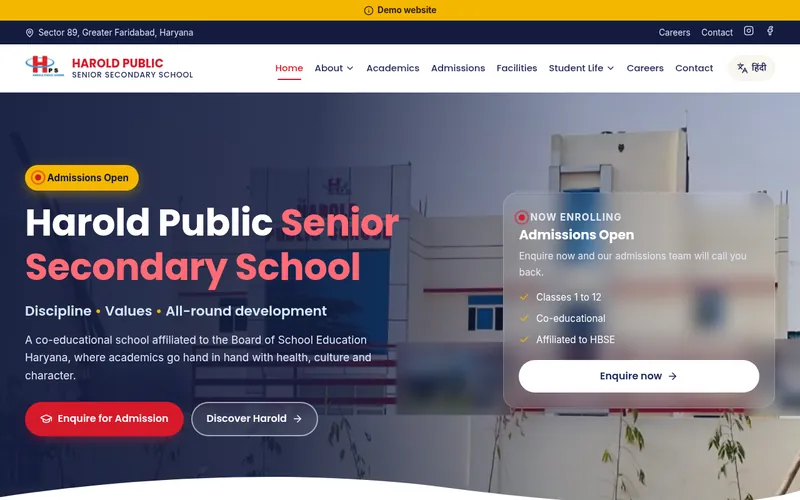
Demo website
Harold Public Senior Secondary School
Sample school website with admission enquiries, academics, facilities, careers and a Hindi option.
-
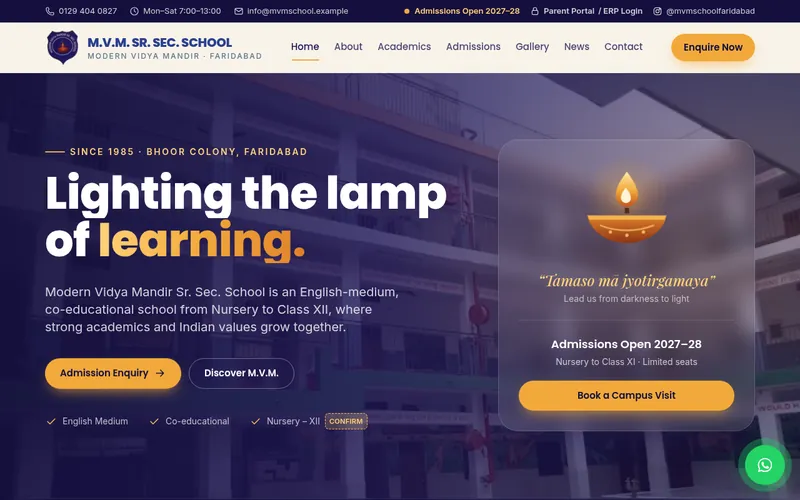
Demo website
M.V.M. Sr. Sec. School (Modern Vidya Mandir)
Sample school website with an admissions notice, gallery, news and a parent portal link.
-
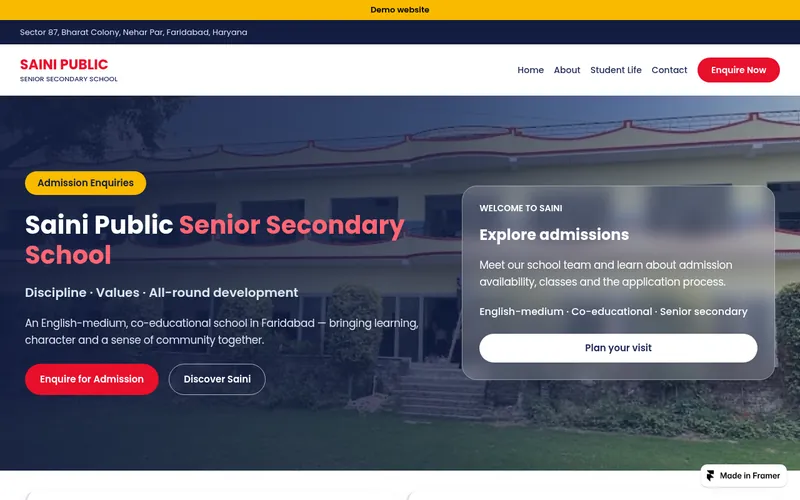
Demo website
Saini Public School
Sample school website covering the campus, school life and admission enquiries.
-
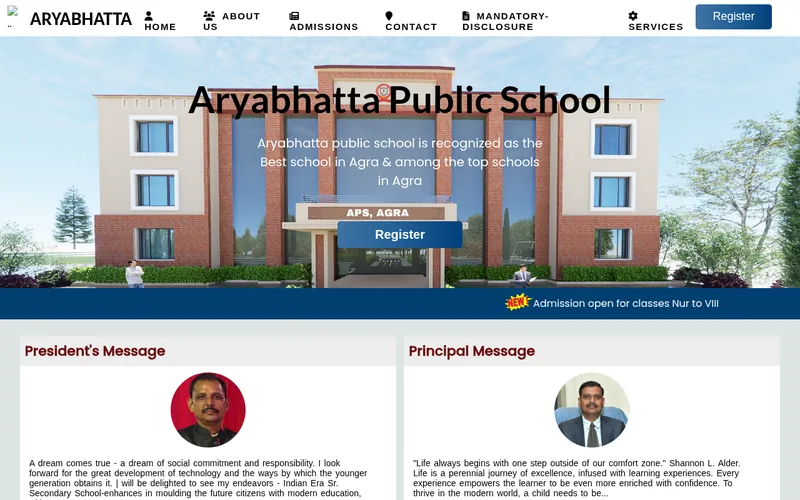
Demo website
Aryabhatta Public School
Sample school website project with admissions, fee structure, bus routes, a gallery, mandatory disclosure and online registration.
How a partnership starts
Four simple steps.
- 1
Discovery call
We learn about your school, classes and goals.
- 2
Tailored plan
A programme and schedule shaped to your timetable.
- 3
Launch
Teacher orientation, then the first sessions begin.
- 4
Review
Termly reports and a showcase of student projects.
School enquiry
Bring Goforge to your school.
Tell us a little about your school. Our schools team replies within one working day to plan a discovery call.
Questions schools ask
School FAQ.
Which classes is the programme for?
Classes 5 to 12, in four levels. We recommend a starting level for each class during the discovery call.
Does it fit into our timetable?
Yes. Most schools use one or two periods a week in the computer lab. We plan the schedule around your academic calendar.
Do our teachers need a technical background?
No. Our mentors lead the sessions, and teachers receive orientation and resources before each unit.
Can we take the software and the skills programme together?
Yes. Many schools start with one and add the other. Choose “Both” in the form and we will plan them together.
How are fees decided?
Fees depend on the classes, number of students and the services you choose. They are shared on a call, once we understand your needs.